

 Facebook
 Twitter
 LinkedIn

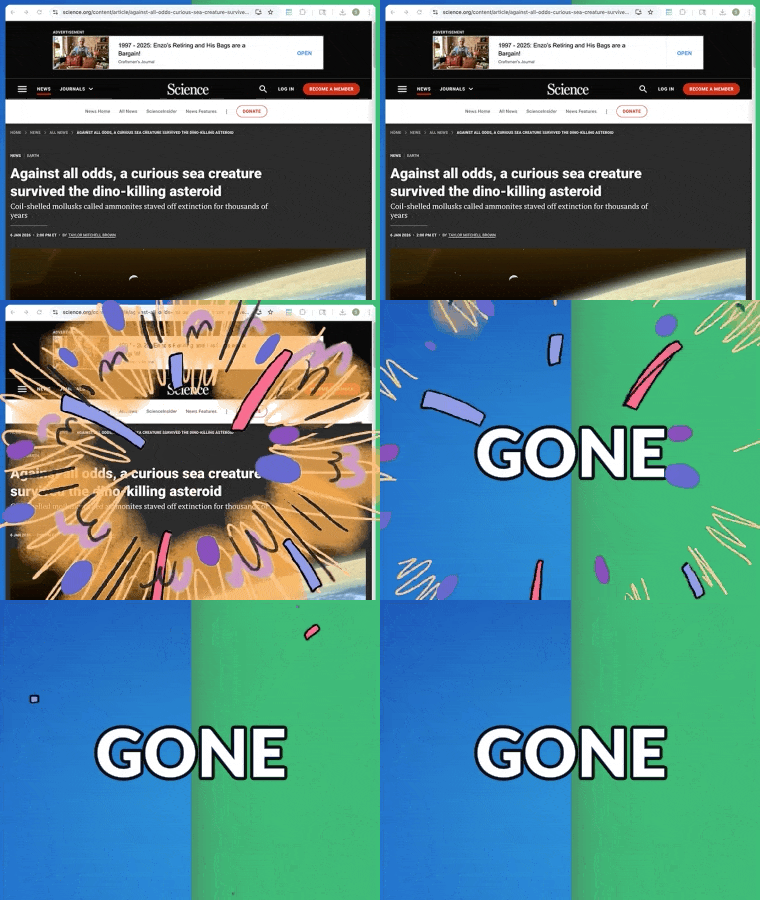
Problem: Websites change and disappear
Important webpages are not permanent. Articles get edited, links break, dashboards update, and online content can disappear at any time. When you need to keep records for reference, compliance, or offline use, bookmarks are not enough. Screenshots are incomplete and copying content breaks formatting. Saving websites should be fast, reliable, and accurate.
Solution: Webpage to PDF
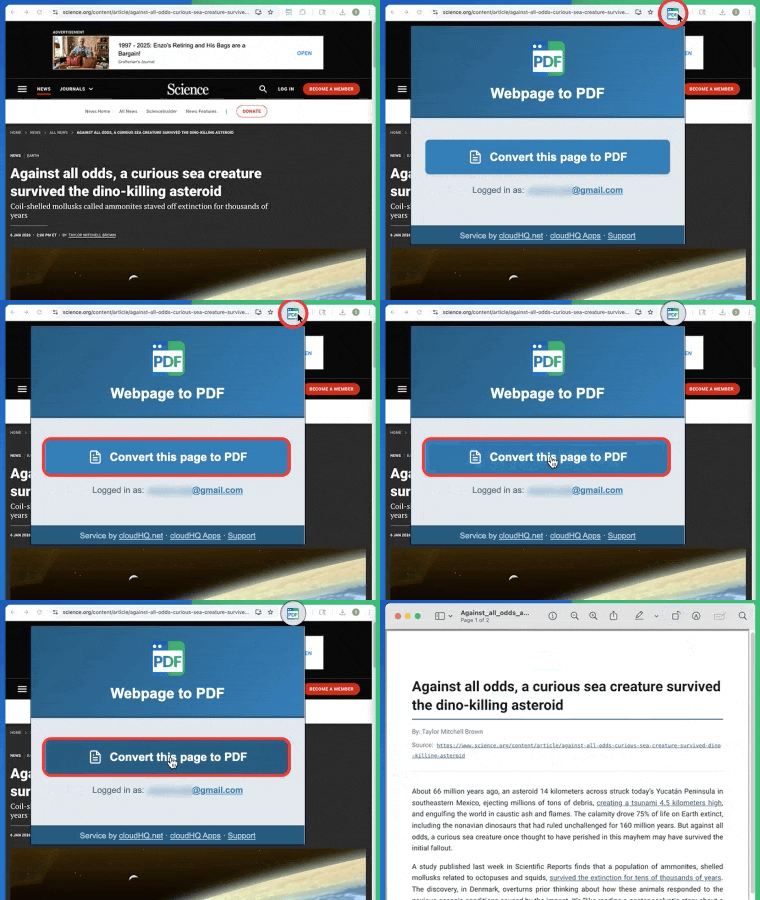
Webpage to PDF by cloudHQ lets you turn any webpage into a downloadable PDF in seconds. It captures the full page including text, images, charts, and formatting so you always have a clean, readable copy. You can store it locally, upload it to cloud storage, or share it with others. This makes it easy to preserve online information exactly as it appears at the moment you save it.
Capture full webpages without truncation
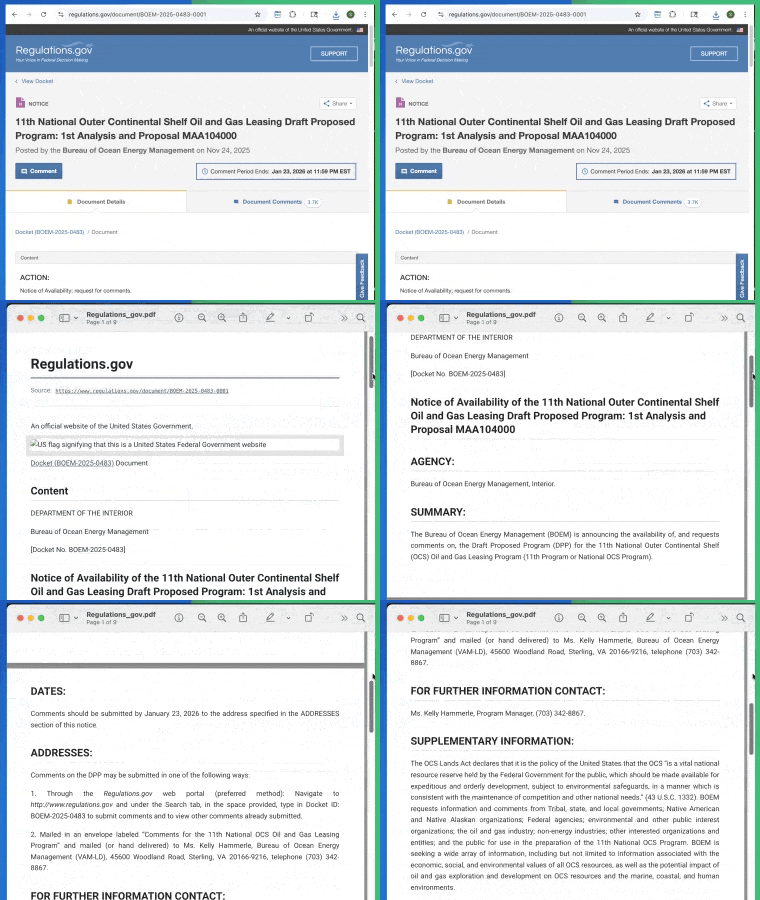
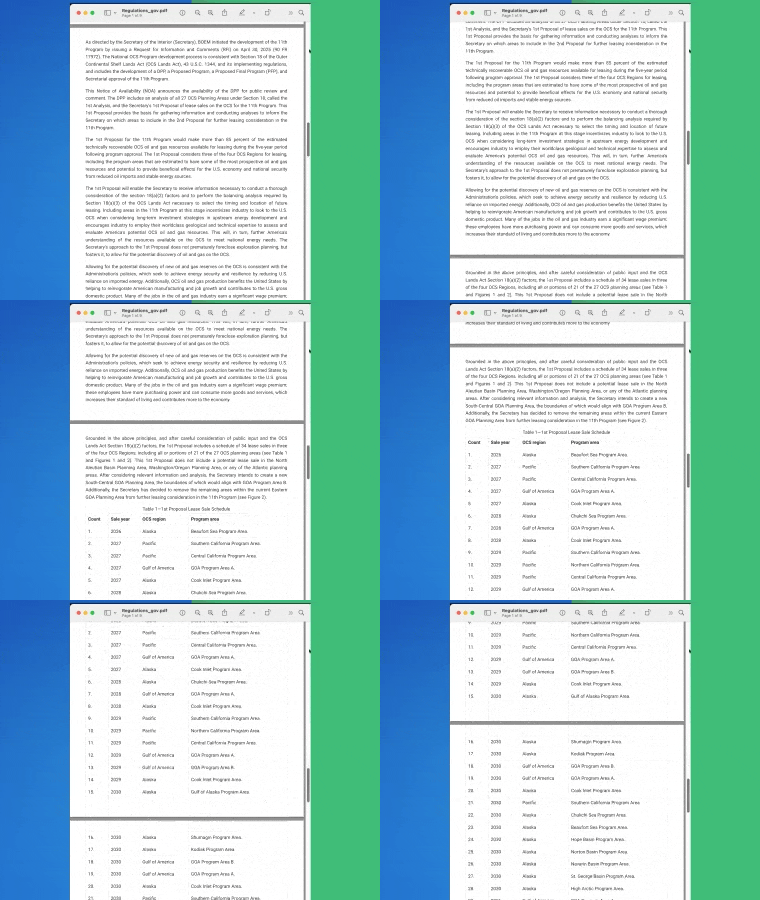
Webpage to PDF handles long and dynamic webpages smoothly. It captures content from top to bottom without cutting off sections or breaking layouts. Whether it is a long article, invoice page, or online report, the entire page is saved as a single PDF. This is especially useful for research, documentation, and record keeping.
High quality PDFs for professional use
The PDFs created by Webpage to PDF are clean, readable, and professional. Text remains selectable, images stay sharp, and layouts are preserved. This makes the PDFs suitable for sharing, printing, archiving, or submitting as official records. You get consistent results every time without manual cleanup.
Secure PDF conversion
Every webpage you convert is processed securely. Webpage to PDF ensures that your content is handled safely during conversion, protecting sensitive information and maintaining data integrity. This makes it suitable for business documents, financial pages, research materials, and any content that requires confidentiality.
Easy sharing
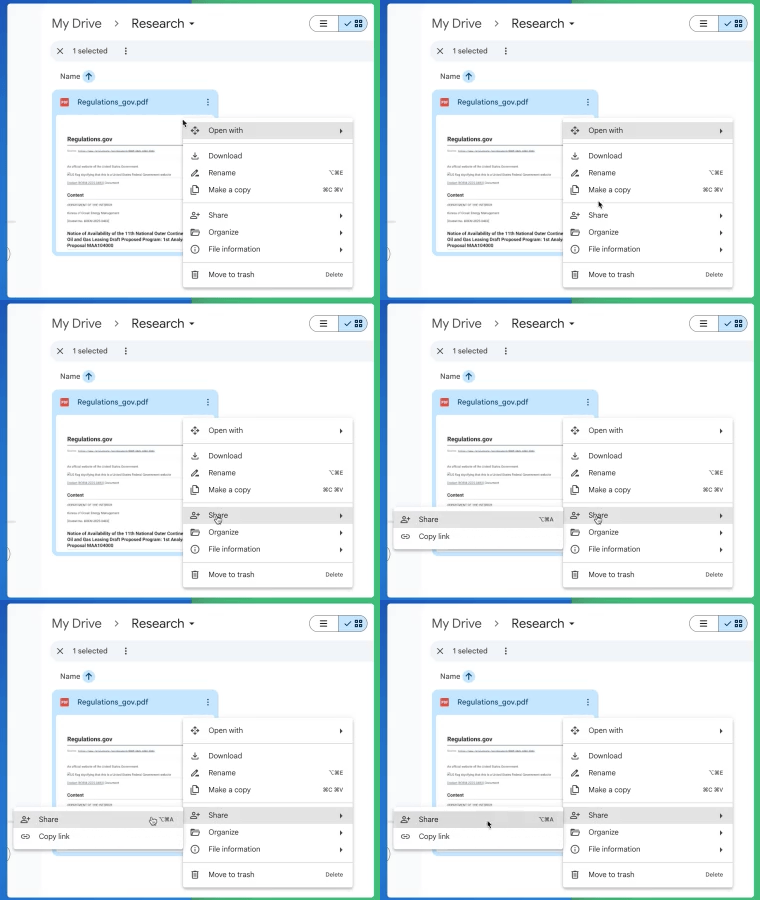
Once your webpage is saved as a PDF, sharing is simple. You can quickly send the PDF to colleagues, clients, or collaborators for review, reference, or approval. Clean formatting and consistent layout make the shared documents easy to read and professional to present.
Save Webpage directly to Google Drive™
Automatically store your converted PDFs in Google Drive™ for instant access and organization. This makes it easy to keep important webpages backed up, searchable, and available across devices. Your PDFs stay synced with your existing Drive folders, reducing manual downloads and uploads.

How to Pin the Extension to Chrome Browser
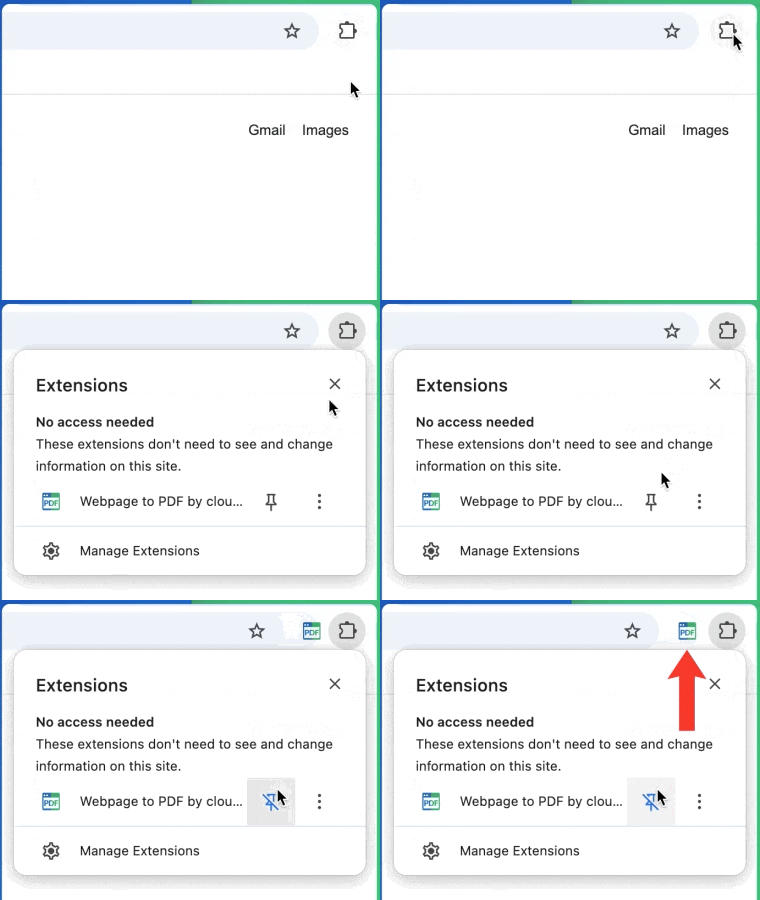
For quick access, you can pin Webpage to PDF directly to your Chrome toolbar so it is always one click away.
Open Chrome and click the Extensions icon at the top right of your browser. Find Webpage to PDF in the list, then click the pin icon next to it. The extension will now appear permanently in your toolbar.
Once pinned, you can convert any webpage to PDF instantly without opening menus or searching for the extension. This makes saving pages faster and keeps your workflow smooth while browsing.
Works directly in your browser
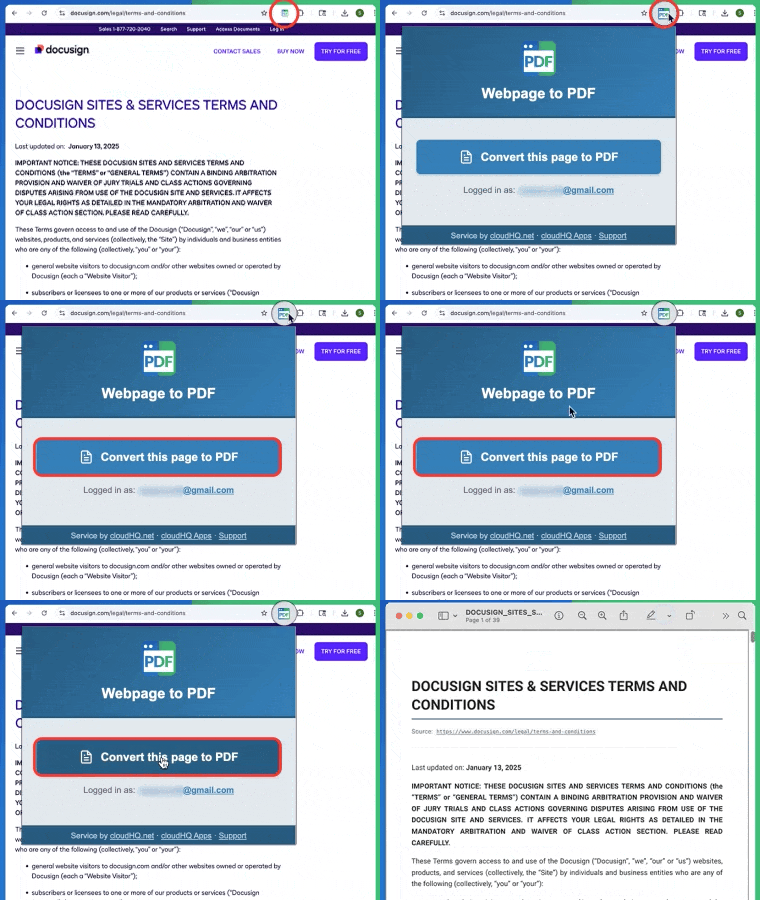
Webpage to PDF works right where you browse the web. There is nothing new to learn and no extra tools to open. Simply click the extension icon, save the page, and your PDF is ready. It fits naturally into your existing workflow and saves time every day.
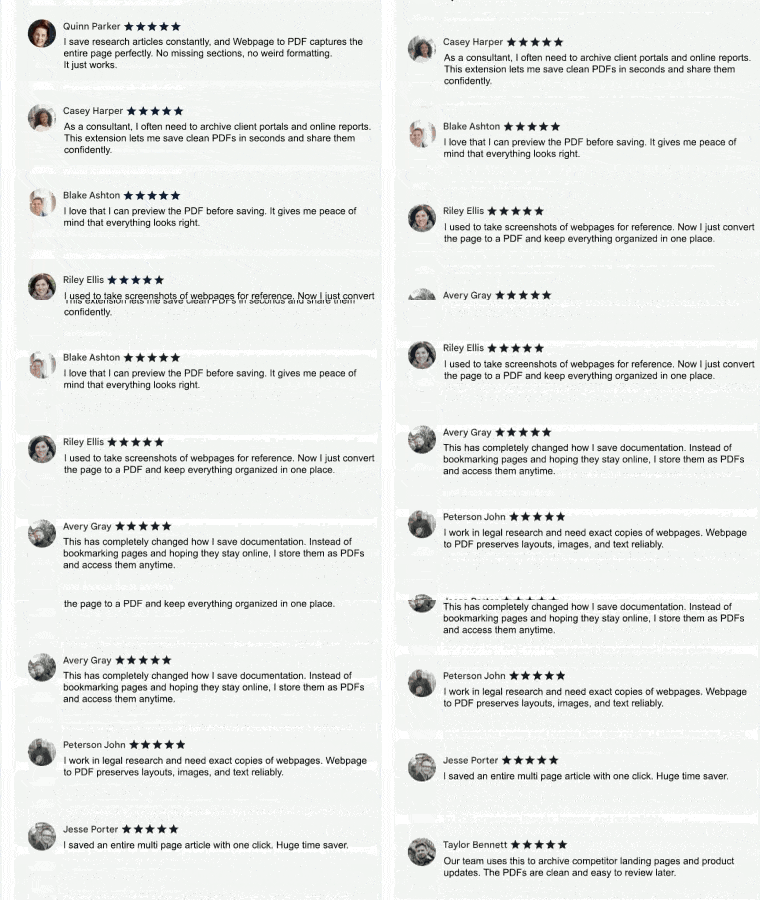
5 Star Positive Reviews
Users consistently praise how Webpage to PDF makes saving and sharing online content effortless. Customers highlight how easy it is to convert full webpages into clean, readable PDFs without broken layouts or missing sections. Professionals appreciate the reliability when saving articles, research, receipts, and reference pages for later use. From individuals to teams, people rely on Webpage to PDF to capture exactly what they see online and keep important information organized and accessible.
Here’s what some of them have to say:
Benefits
Webpage to PDF is ideal for professionals who need reliable access to online content long after it is published. It allows teams and individuals to capture webpages exactly as they appear and store them as clean, shareable PDFs. Researchers can archive sources. Legal and compliance teams can preserve records. Sales and marketing teams can save landing pages and proposals. Students and educators can keep study materials offline. With one click, important information is saved permanently instead of being lost behind changing links or updated pages.
Webpage to PDF helps users stay organized, work offline, and share information confidently without relying on live websites. Files can be stored locally or saved directly to Google Drive for easy access and collaboration.
Here are just a few ways professionals use Webpage to PDF every day:

Sales teams
Save proposals, pricing pages, and customer portals as PDFs to share internally or with clients.
Marketing Teams
Archive landing pages, campaigns, and competitor websites for reference and reporting.


Legal and Compliance Teams
Preserve exact copies of webpages for records, audits, and documentation
Researchers and Analysts
Store sources as static PDFs to ensure citations remain accurate over time

Real Estate Agents
Capture property listings and neighborhood pages to send to clients or keep for records.
Small Business Owners
Save invoices, confirmation pages, and online documentation for bookkeeping and organization.


Consultants and Agencies
Convert research, reports, and client resources into PDFs that are easy to review and share.
Administrative Assistants
Collect reference pages, instructions, and internal resources in one consistent format.

Students and Educators
Save articles, course materials, and online readings to annotate and access offline.
Remote and Hybrid Teams
Share webpages as PDFs so everyone sees the same version regardless of location or device.

Frequently Asked Questions
How do I save a webpage as a PDF?
Does it capture the entire webpage or just what is visible?
Will the formatting and images stay intact?
Can I use this for business or compliance records?
Do I need any technical setup?
Testimonials
“As a real estate agent, listings and neighborhood pages change quickly. Webpage to PDF helps me save property details and share them with clients in a professional format. It has made my follow ups much smoother.”
- Lauren Kim, Real Estate Agent
“I am a researcher and often need offline access to articles and sources. Webpage to PDF allows me to save webpages instantly and organize them in Google Drive. It has simplified how I collect and reference information.”
- Michael Thompson, Research Analyst
“Our legal team needs accurate records of online content for compliance and documentation. With Webpage to PDF, we can save clean, reliable copies of webpages in seconds. It gives us confidence that nothing important is lost or altered.”
- Maria Lopez, Legal Operations Manager
“I work in marketing and regularly review landing pages and competitor sites. This tool makes it easy to turn webpages into PDFs I can share with my team or archive for reporting. It saves time and keeps everyone aligned.”
- Ethan Collins, Marketing Strategist
“I’m a consultant, and I constantly reference online reports and client resources. Webpage to PDF lets me capture webpages exactly as they appear and save them for later use. It has become essential for keeping my research organized and accessible.”
- Daniel Roberts, Business Consultant